
Vale Tech

Case study

PG Social

A single place to find out what’s on in Prince George.

Events in Prince George in one place. Organizers post them, and residents find them, RSVP and buy tickets. We built it, shipped it to both stores and the web, and we still run it.

The record

Runs on
iOS, Android and the web, on phones and tablets
Started
June 1, 2025
Built with
Flutter, Firebase, Stripe and Next.js
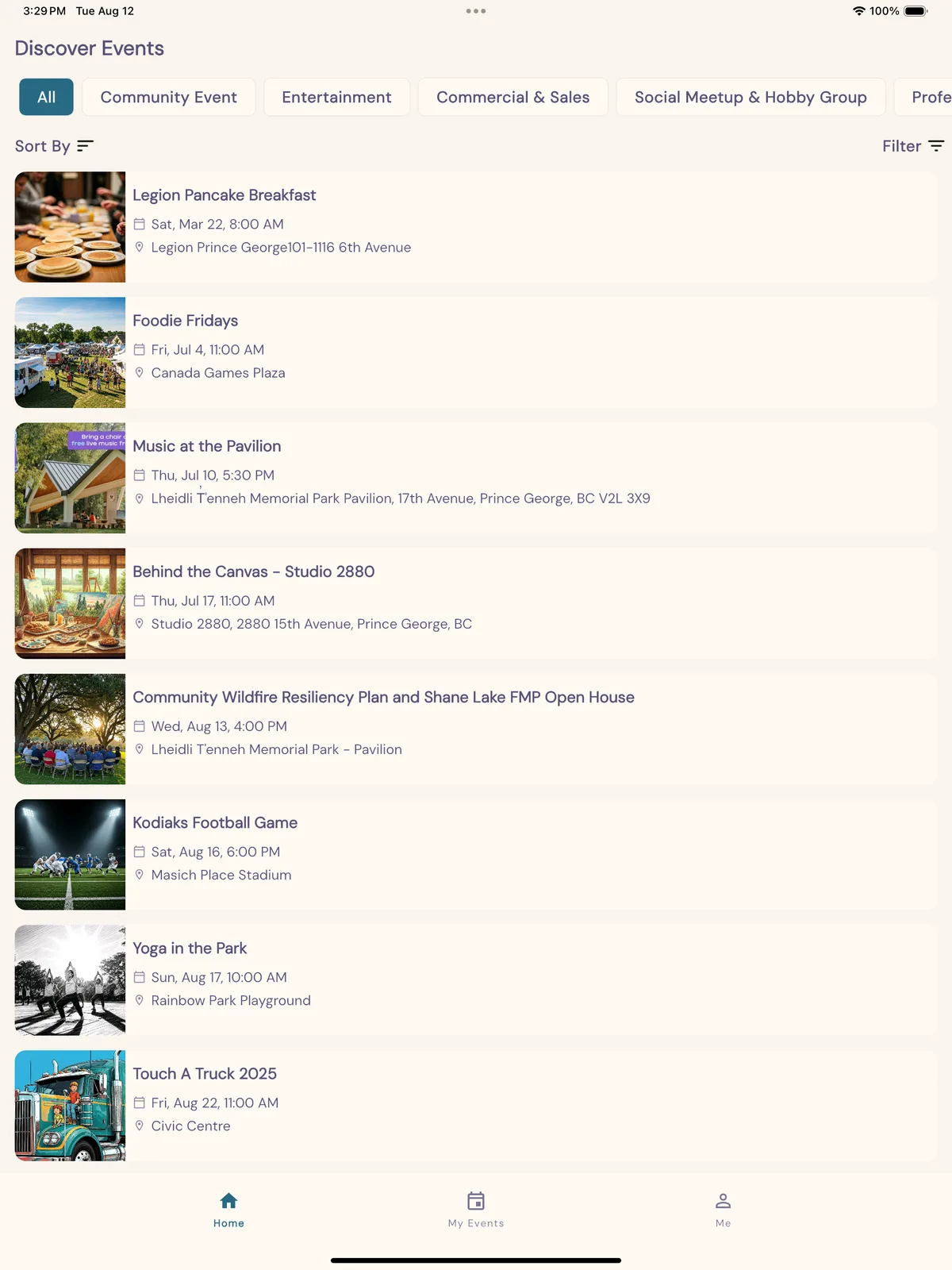
Discover events in PG Social on a tablet.
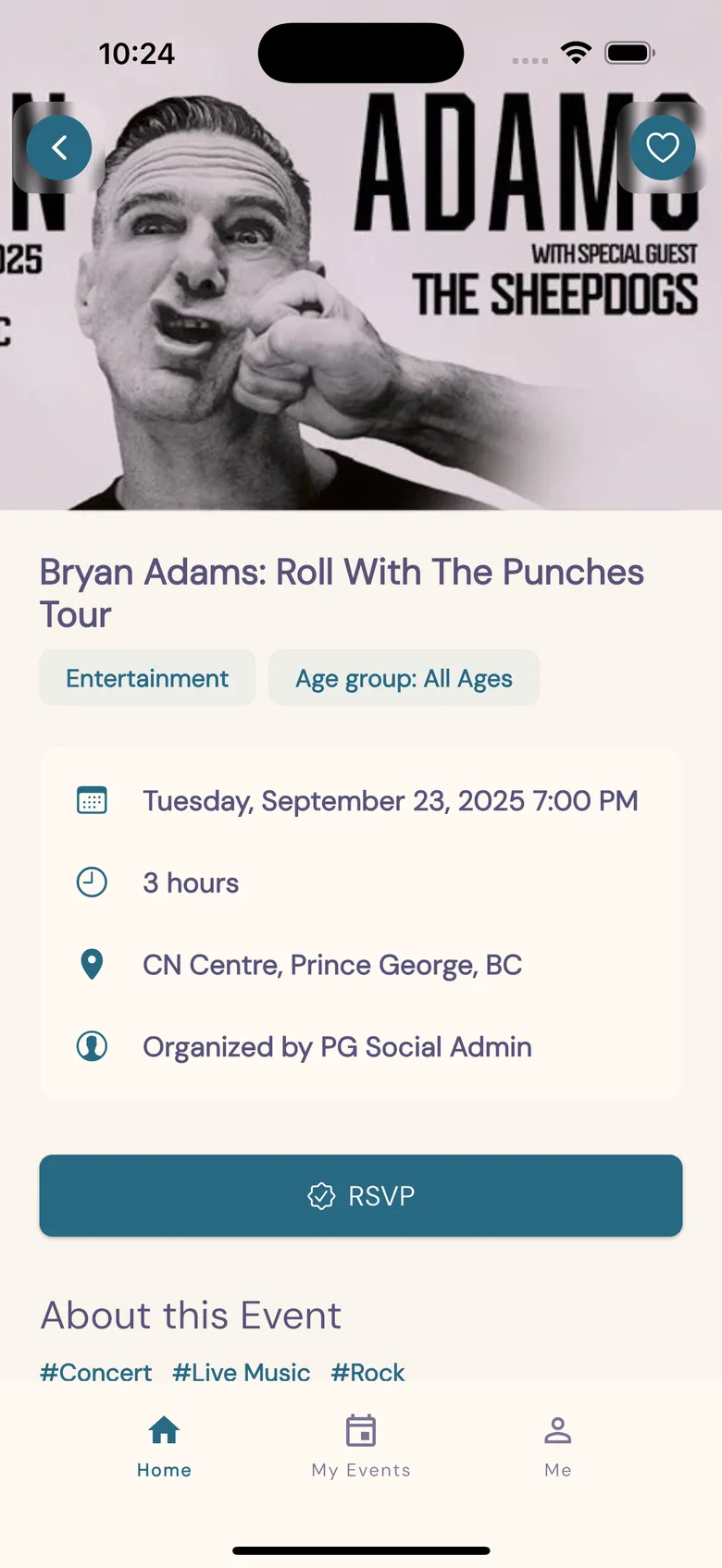
An event page in PG Social, with the date, the place and an RSVP button.

The problem

People in Prince George kept finding out about events a week too late.

Newcomers asked online why it was so hard to meet people in the city. Events were spread across posters, pages and feeds, and nothing gathered them in one place.

PG Social puts the city's events in one list. It gives organizers a self-serve tool to post an event and manage who comes.

How it works

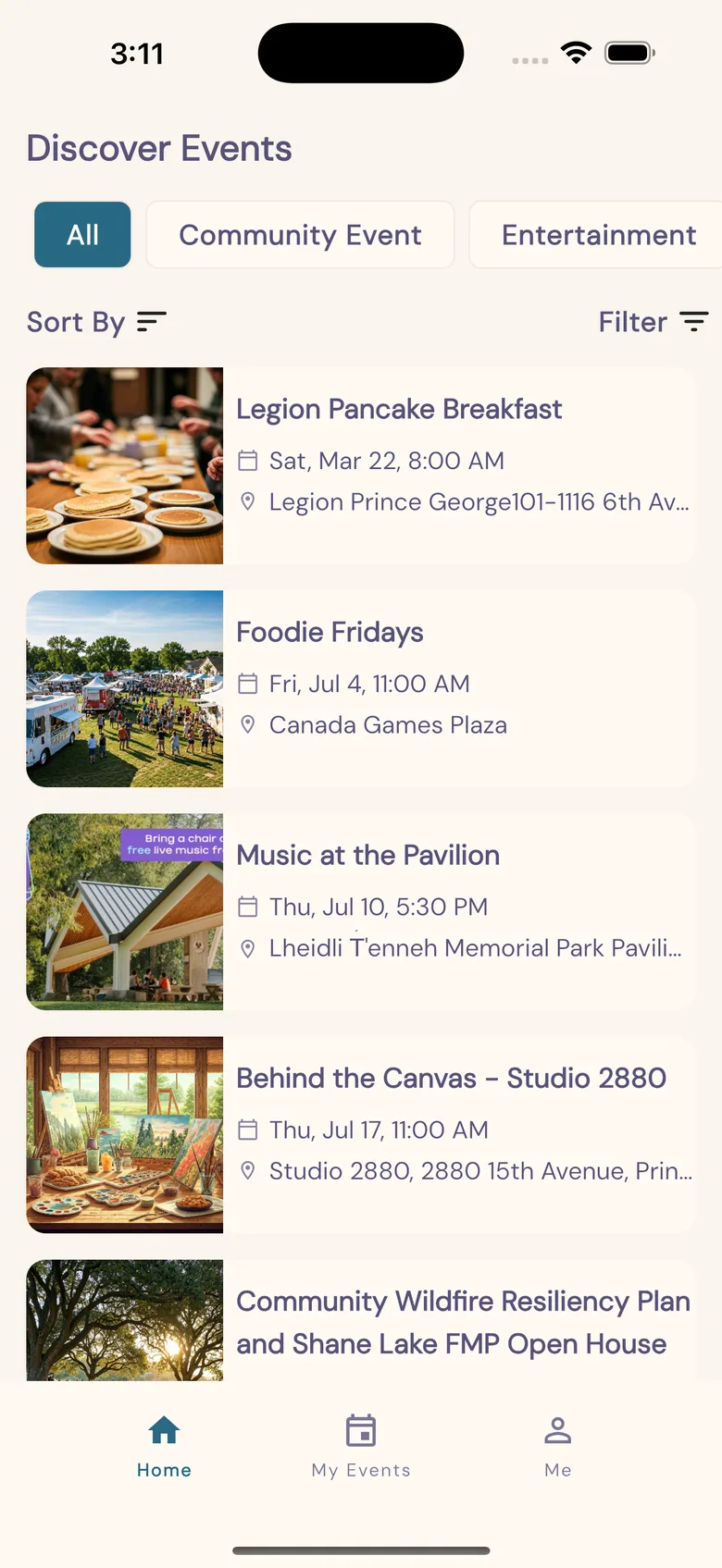
  1. Discover events, filtered by category, with photos, dates and places.

    1Discover

    Every event in one feed, filtered by category and sorted by date.

  2. An event page in PG Social, with the date, the place and an RSVP button.

    2Open an event

    The date, the place and the organizer, with an RSVP button and comments below.

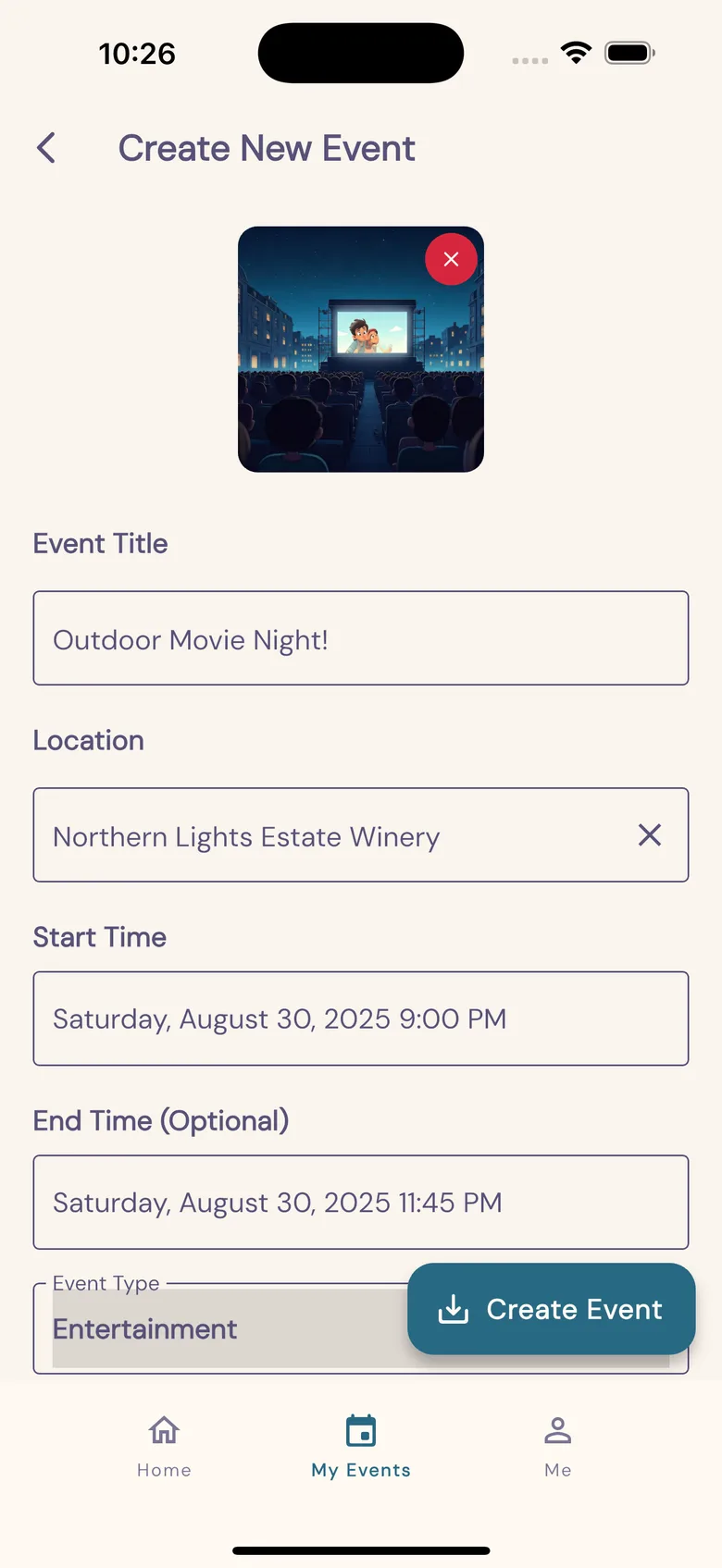
  3. Creating a new event in PG Social.

    3Post your own

    Organizers create an event with a photo, a time, a place and a formatted description.

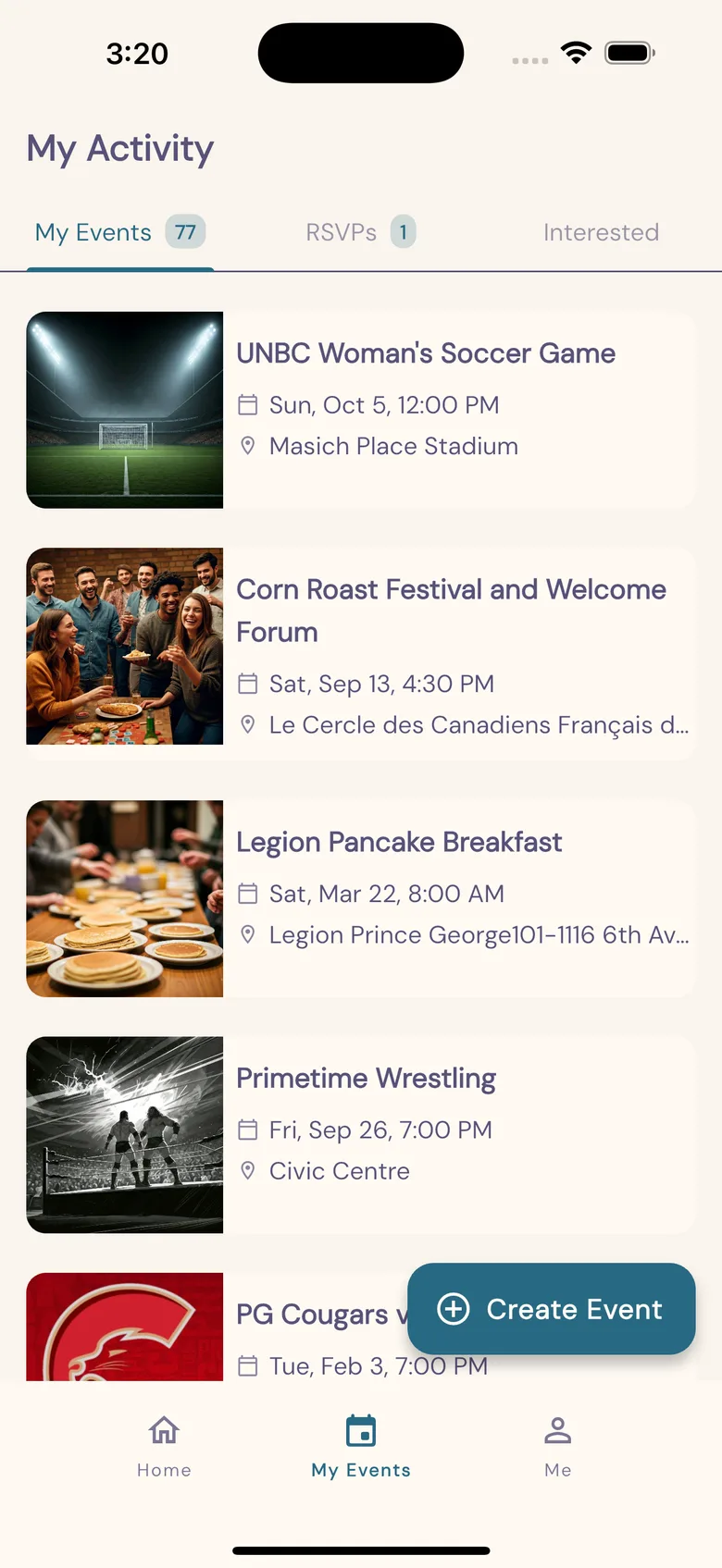
  4. My activity: the events a person made, their RSVPs and what interests them.

    4Keep track

    My activity holds the events you made, your RSVPs and the events you marked as interesting.

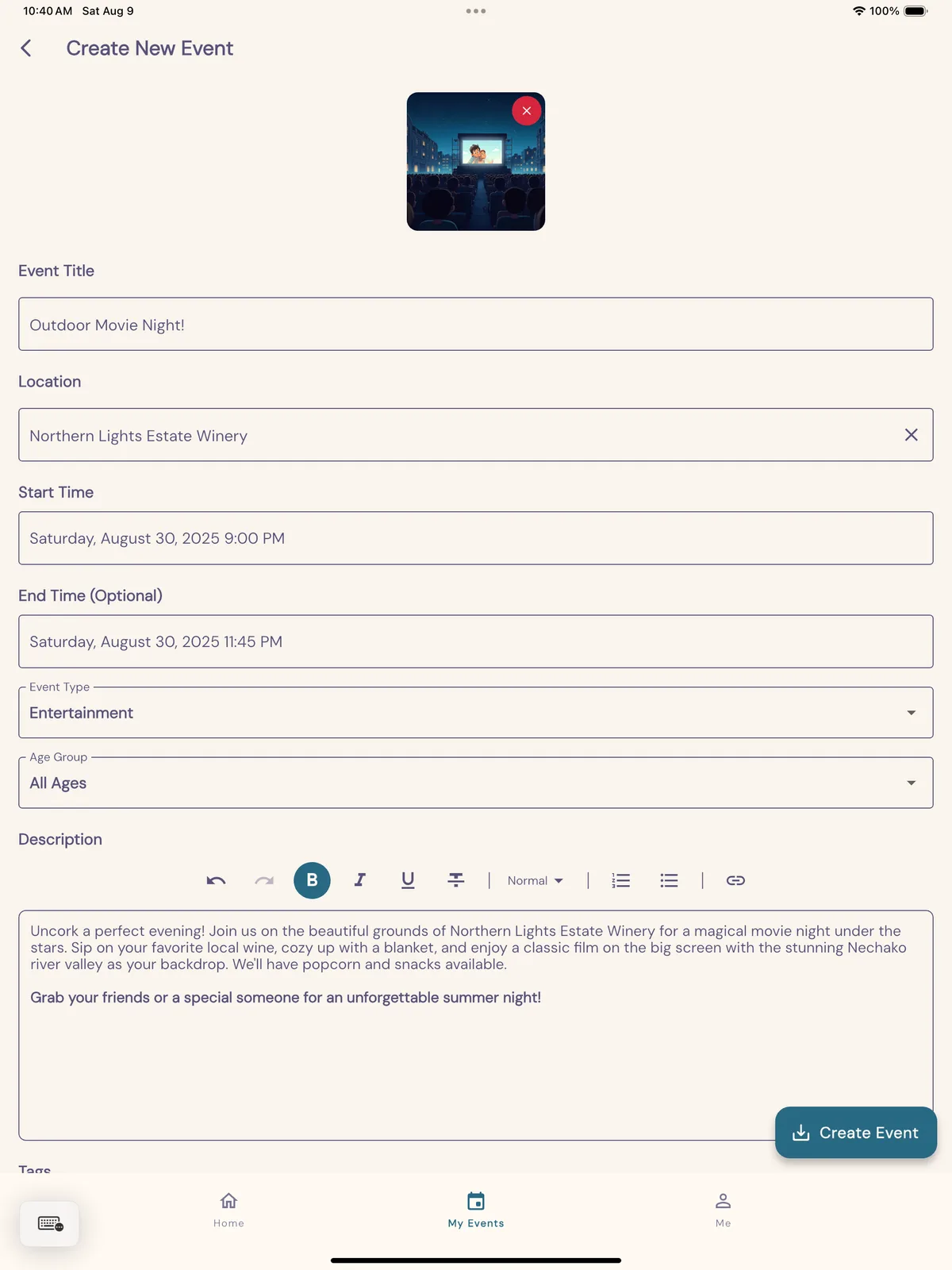
The same app on a tablet.

One Flutter codebase serves phones and tablets on iOS and Android. On a tablet, the layout opens up to use the wider screen.

Creating an event in PG Social on a tablet, with a formatted description.

How it is built

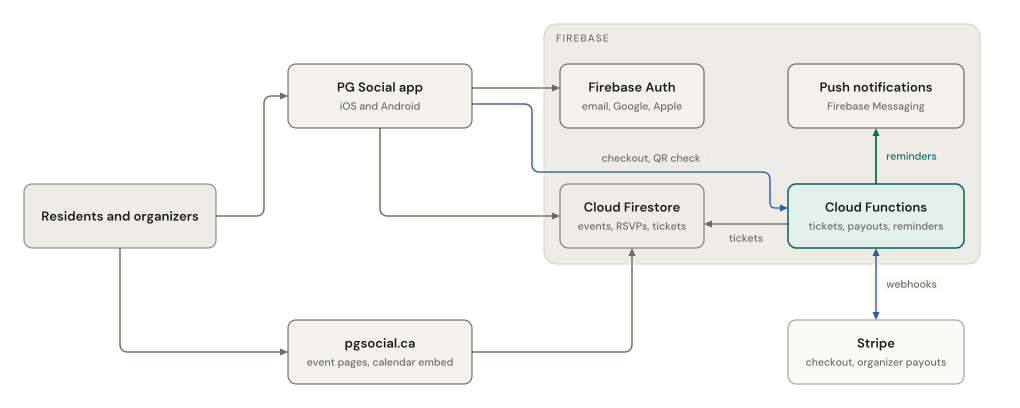
PG Social architecture. The app and the website read events from Cloud Firestore, and Cloud Functions sell and check tickets through Stripe.
The app and pgsocial.ca read the same events. Cloud Functions sell tickets through Stripe, check them at the door and send reminders. The figure scrolls sideways.
One set of events
The app is Flutter, for iOS and Android. The website, pgsocial.ca, is Next.js and reads the same events.
Repeating events
A weekly event is stored once, with a repeat rule. Cloud Functions create its dates for the next 90 days, so the database stays small.
Alerts that do not nag
People choose new-event alerts right away, as a daily digest, or off. The digest is the default.
Admin tools in the app
An admin area handles event approvals, claims from organizers, feedback and users. Only accounts marked as admin can open it.

Events that arrive on their own

Many events are already posted on local sites. A scraper reads each site, and Gemini turns the text into clean event fields: the title, the date, the place and the description.

Nothing goes live until an admin approves it, whether the scraper found it or an organizer posted it.

Events arrive two ways: scraped from local sites and parsed by Gemini, or posted by organizers in the app. Both wait as pending until an admin approves them.
The importer runs on its own, apart from the app. Every event, from either path, passes the same review. The figure scrolls sideways.

Tickets and promotions

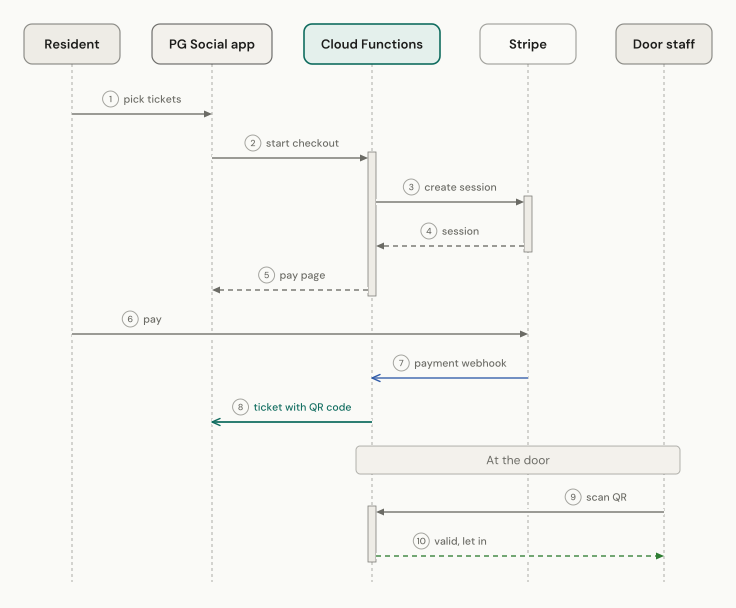
Buying a ticket: the app starts a checkout, Cloud Functions open a Stripe session, the payment webhook issues a ticket with a QR code, and at the door a function checks the scan.
Ticketing shipped on December 3, 2025. Payment goes through Stripe, and the ticket is only issued once Stripe confirms it. The figure scrolls sideways.
One checkout
A buyer can mix ticket types and add-ons in one Stripe checkout.
Sell before setup
Organizers can sell before they finish Stripe's identity checks. Payouts start once the checks are done.
Door staff
An organizer can give other people the right to scan tickets at the door.
Paid promotion
Organizers can pay to pin an event to a carousel at the top of the feed. It loads apart from the main feed, so a paid spot always shows.

How we built it

One repository, two environments and a written record of each architecture decision.

One repository
The app, the Cloud Functions, the website and the admin scripts live in one repository.
A design record
A design doc in the repository records each architecture decision and the reason, from repeating events to ticketing.
Two environments
Development and production each have their own Firebase project, so a test never touches real events.

Launch

PG Social is on the App Store and Google Play, and on the web at pgsocial.ca.

Each new feature gets a What's new post on pgsocial.ca, from the calendar view to ticketing.

Want this for your team?

We build apps, AI systems and the courses that teach your staff to use them. Describe the problem in a few lines. We reply with what we would need to know to scope it.